

What's in Senior Care Connected
Everything on this page comes with every plan, unless it's marked Enterprise or add-on.
Care and health
The chart has what nurses and aides need during the day, and it's there when the state asks for it.
- Participant profiles
- Contacts, allergies, physician, insurance and medical notes.
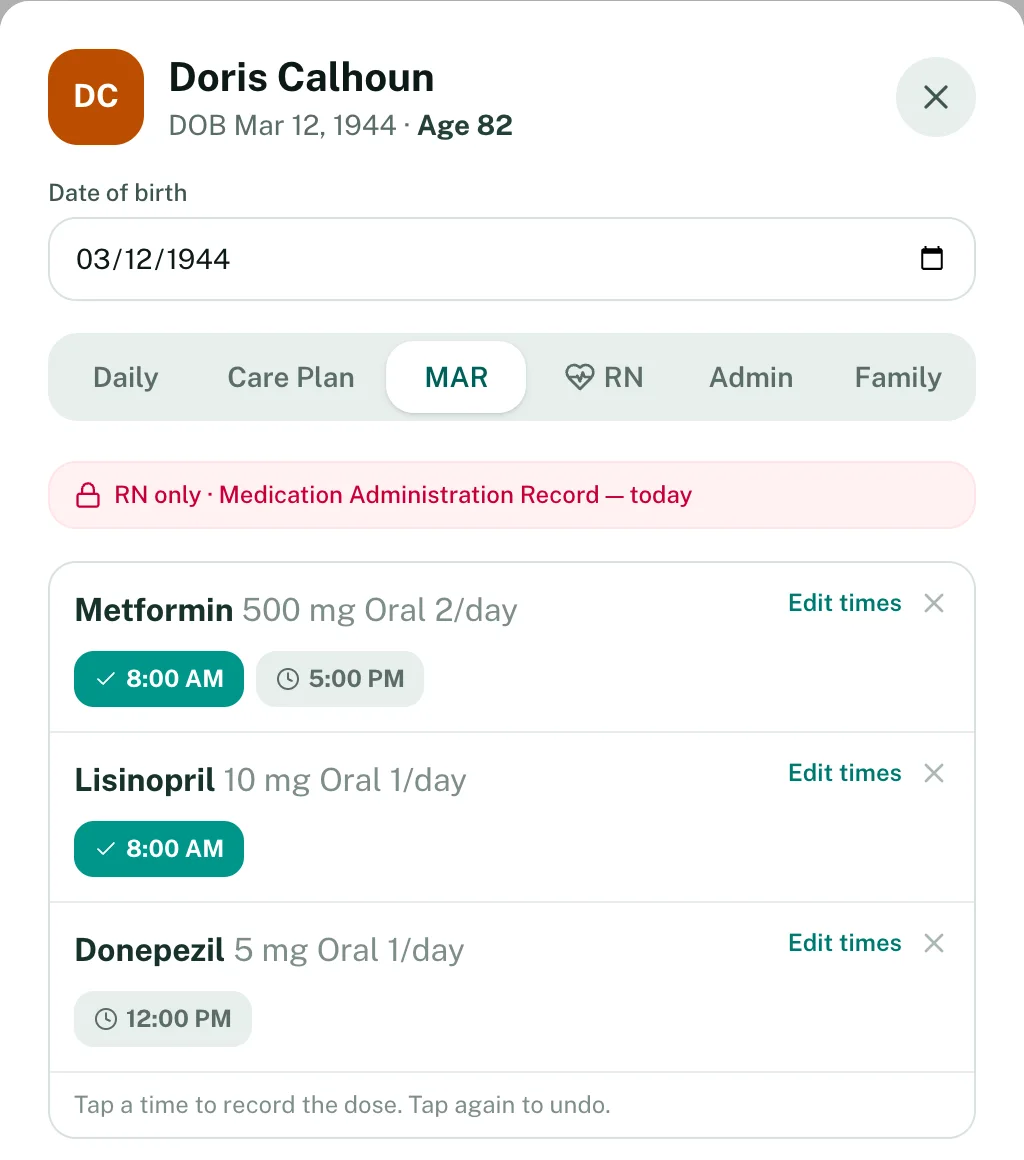
- Medications and MAR
- List each medication with its scheduled times. Staff tap a time when the dose is given, and missed doses show up on the dashboard.
- Care plans
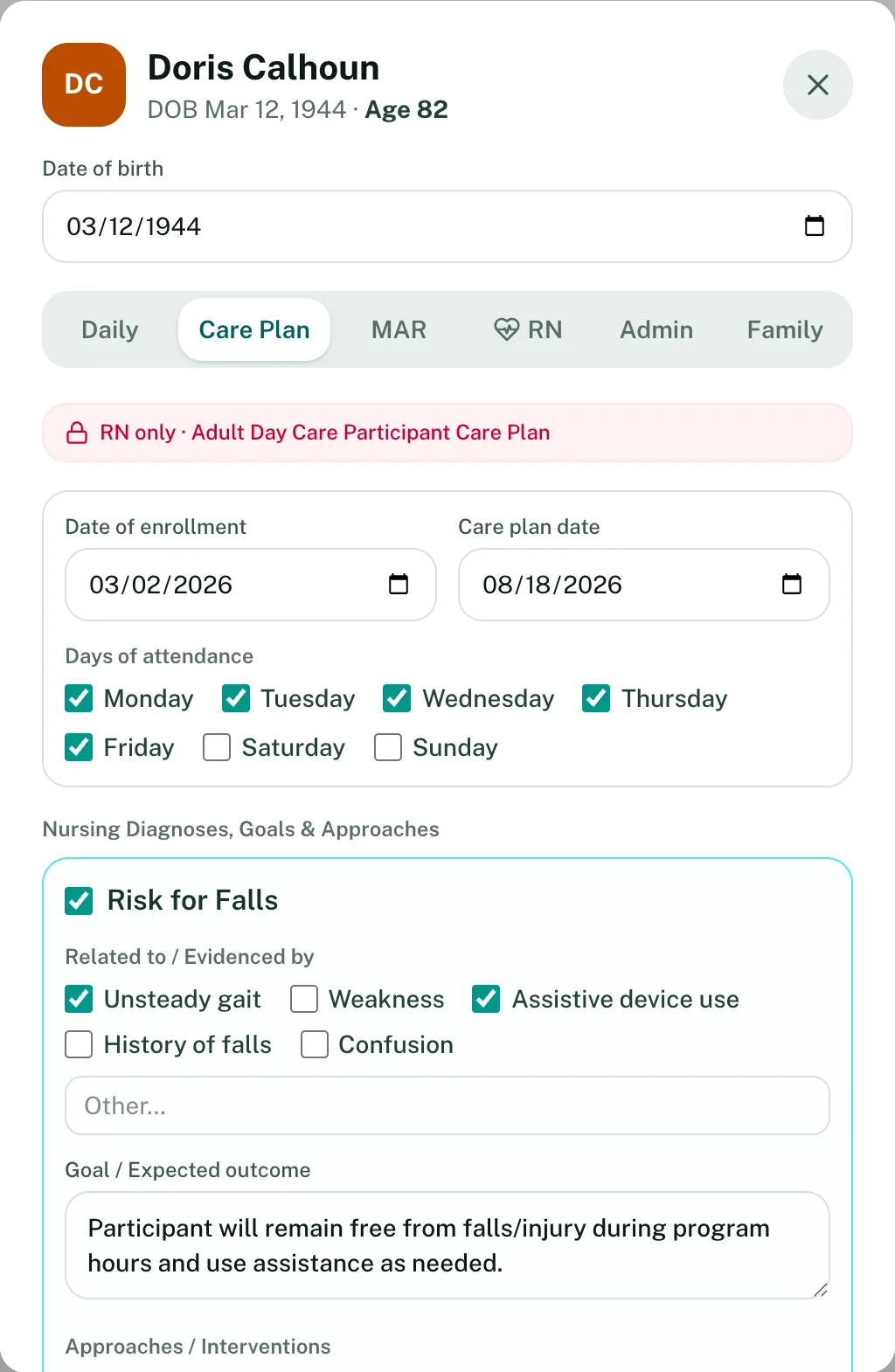
- Pick nursing diagnoses from a standard list, check what applies, and set goals and approaches. Review dates are tracked on the chart.
- Health records
- Assessments, vitals and nursing notes.
- Incident reports
- Falls, injuries, behavior and medical events. Record how serious it was, what staff did, and whether the family was told, then print it.
Daily operations
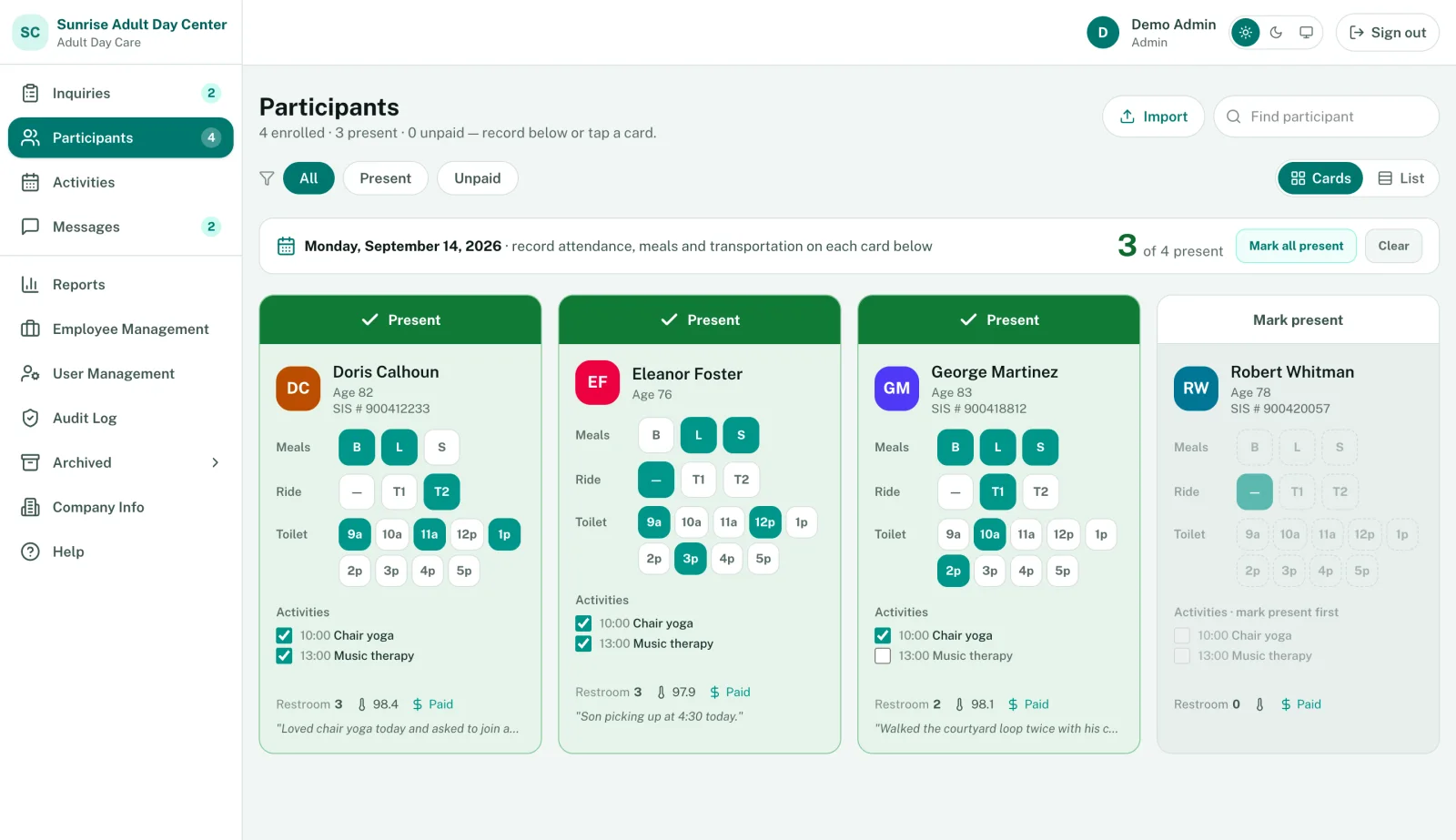
Most of the day happens on the Participants screen.
- Attendance
- Check people in and out. History and absences are kept for you, and you can take a signature at pickup.
- Meals, rides and toileting
- Breakfast, lunch and snack, T1 or T2 rides, and toilet times, marked right on each person's card.
- Activities
- Plan the month on a calendar or import it from a spreadsheet, then check off who took part each day.
- Meal planning
- Build the month's menu and print it.
- Transportation(Enterprise)
- Pickup schedules, routes and driver checklists.
Families
Families can see how the day went without calling the front desk.
- Family portal
- Attendance, activities, photos and invoices. Families can pay online.
- Messages
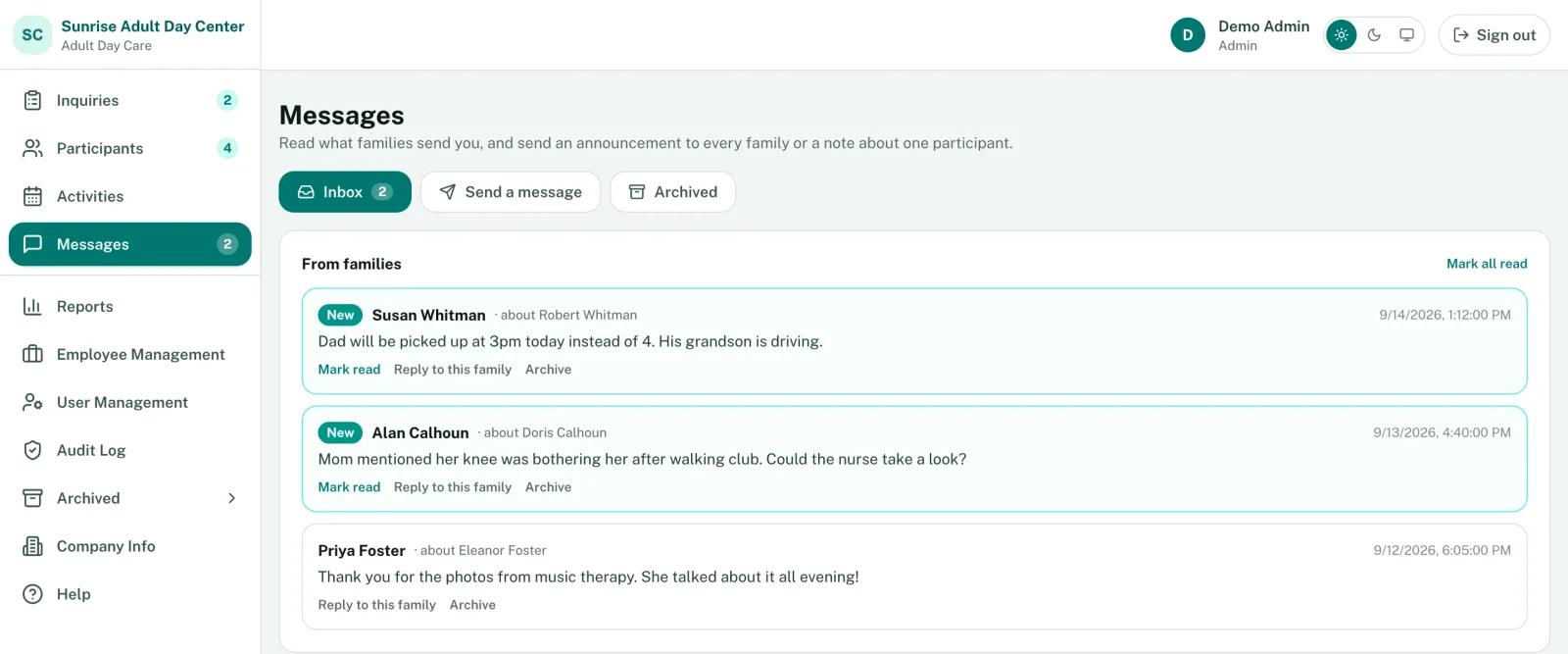
- Families send notes about their loved one. Staff reply to one family or send an announcement to everyone.
- Mobile apps
- iOS and Android apps come with every plan.
- Inquiries
- A shareable inquiry form, and a board that follows each family from first call to enrollment.
Billing and the office
Invoices, staff records and reports sit next to the care records they come from.
- DSS billing
- Attendance becomes units on your DSS invoice. How DSS billing works
- Private pay invoicing
- Invoices, recurring charges and online payments.
- Staff
- Directory, roles and permissions, and time tracking. Hiring tools come with Professional and up.
- Reports
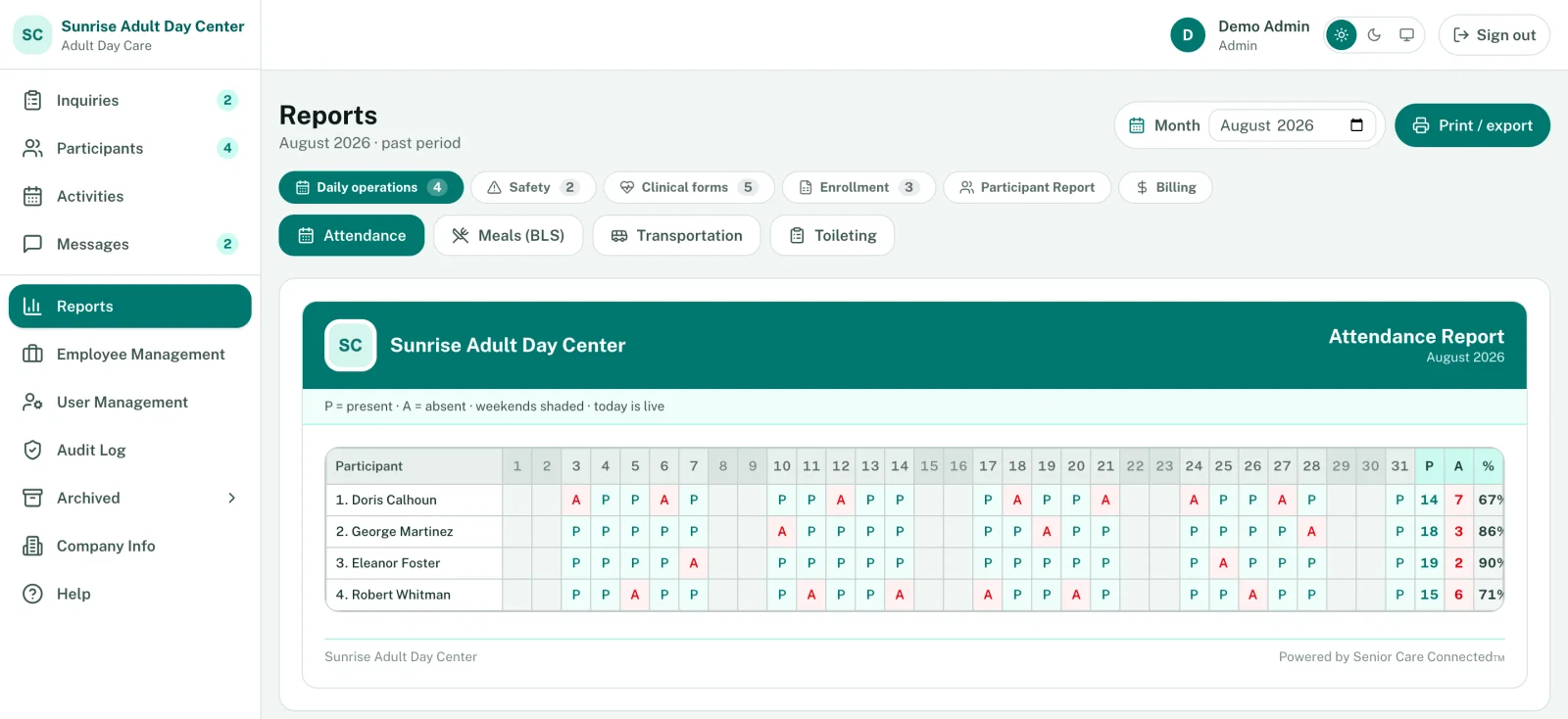
- Attendance, meals, transportation, toileting, incidents and fire drills, printed under your center's name.
- QuickBooks(Enterprise)
- Syncs invoices, payments and customers.
- Multiple locations(Enterprise)
- One account for several centers, with your own branding.
Enrollment and compliance
Less paper to chase at enrollment, and fewer surprises when the inspector comes.
- Enrollment applications
- Email families a link. They fill in the application, pay the application and TB fees, and send it back for you to review.
- Forms by link
- Admission and handbook forms go out pre-filled. Families sign, and the answers land in the chart.
- Credential and deadline alerts
- Staff credentials about to expire, plus license, fire drill and training deadlines.
- State forms
- Medical exam, TB test, level of care and care plan forms, including North Carolina's TB and medical exam forms.
Try it with your own participants
Start a 14-day free trial, or book a demo and we'll show you around.